
CI/CD transforms your software development practices, allowing you to automate testing and deployment processes with efficiency and precision. By utilising GitHub Actions, you can seamlessly integrate workflows to enhance productivity and reduce the likelihood of errors in your projects. This post provides you with the imperative knowledge and steps to create robust CI/CD pipelines that will optimise your development lifecycle, ensuring that your applications are delivered with reliability and speed.
Key Takeaways:
- GitHub Actions enables automation of CI/CD processes directly within GitHub repositories.
- Pipelines can be customised using YAML configuration files to define jobs, steps, and triggers.
- Integrations with various tools and platforms enhance the functionality and ease of deployment.

Understanding CI/CD
Grasping the concepts of Continuous Integration and Continuous Deployment (CI/CD) is necessary for streamlining your software development process. These practices encourage regular code integration, automated testing, and consistent deployment, enabling quicker and more efficient development cycles. By employing CI/CD, you significantly reduce the risk of integration issues, ensuring that your applications are robust and reliable.
What is CI/CD?
CI/CD refers to the combined practices of Continuous Integration (CI) and Continuous Deployment (CD). CI involves automatically merging code changes into a shared repository several times a day, while CD ensures that this code is reliably and automatically deployed to production environments. This methodology supports rapid iterations and enhances the reliability of software delivery.
Benefits of CI/CD Approaches
Implementing CI/CD approaches offers numerous advantages, including quicker release cycles, reduced manual intervention, and improved collaboration among team members. By automating testing and deployments, teams can focus more on coding and less on addressing integration issues, leading to higher quality software and faster time-to-market.
The tangible benefits of CI/CD are often evident through faster feedback loops and enhanced software quality. Companies that adopted CI/CD methodologies typically report up to 46 times more frequent deployments, with a 96% reduction in lead time for changes. This not only improves productivity but also fosters a culture of innovation, enabling you and your team to respond swiftly to market demands and user feedback. Enhanced visibility into the workflow also allows for better resource management and prioritisation of development tasks.
GitHub Actions Overview
GitHub Actions provides a powerful framework for automating workflows directly within your GitHub repository. It enables you to create workflows that respond to various events like pushes or pull requests. If you’re keen to start creating your own workflows, consider exploring Building a CI/CD Workflow with GitHub Actions, which offers vital insights into harnessing the full potential of this tool.
Core Concepts of GitHub Actions
At the heart of GitHub Actions lie several core concepts that shape its functionality. Workflows are defined in YAML files and consist of jobs and steps. Each job executes within a virtual environment, running specified commands, scripts or actions. This modular approach allows for easy customisation, enabling you to define reusable actions, making it possible to streamline complex processes effectively.
Key Features and Advantages
The key features of GitHub Actions offer substantial improvements to your software development lifecycle. They allow you to automate tasks seamlessly, enhancing productivity and reducing the potential for human error. You can integrate CI/CD processes effortlessly, and with a vast marketplace of pre-built actions, you can implement functionalities without writing extensive code.
- Native integration with GitHub ecosystem
- Event-driven automation capabilities
- Extensive marketplace for reusable actions
- Custom workflows tailored to your needs
- Free tier available for public repositories
The diverse features of GitHub Actions empower you to implement and share automation practices effectively. By leveraging tools like containers and matrix builds, you can optimise your testing processes across multiple environments simultaneously, enhancing your development velocity. The flexibility and wide-ranging applicability of GitHub Actions are significant advantages in today’s fast-paced development landscape.
- Support for multi-platform builds
- Integration with third-party services
- Real-time feedback through status checks
- Version control for workflows
- Robust logging and debugging capabilities
The capability to integrate CI/CD pipelines with ease, alongside the wealth of resources available, makes GitHub Actions an indispensable tool for modern developers looking to enhance their workflow efficiency and project management.
Setting Up GitHub Actions
To begin utilising GitHub Actions, you can refer to the comprehensive guide on how to Configure a pipeline using GitHub Actions – Azure. This resource details the steps necessary for setting up your first workflow, ensuring you grasp the configuration process and its integration within your repository.
Creating a New Workflow
Initiate a new workflow by navigating to the Actions tab in your repository. Here, you can either choose from a suggested workflow or create your own from scratch using a YAML file. Defining triggers and determining when your workflow will activate is important for streamlining your development process.
Configuring Your First CI/CD Pipeline
Your inaugural CI/CD pipeline needs careful configuration to be effective. Start by ensuring that the necessary events, like pull requests or pushes to main branches, are defined to trigger the pipeline. Also, you should specify jobs required to build, test, and deploy your application seamlessly.
In the process of configuring your first CI/CD pipeline, you may opt to set environment variables, which can manage sensitive data like API keys securely. Additionally, configuring caching can drastically reduce build times, increasing efficiency. By integrating testing as an integral part of your pipeline, you ensure that code adheres to quality standards before deployment, significantly reducing the risk of errors in production.
Integrating Tests and Builds
Integrating tests and builds into your CI/CD pipeline ensures your application remains robust and reliable. By automating these processes, you enhance development efficiency, allowing for immediate feedback on code changes. This continuous integration approach fosters a culture of quality, enabling you to catch errors early and maintain a stable codebase throughout the development lifecycle.
Automating Testing with GitHub Actions
With GitHub Actions, you can effortlessly automate your testing process. By defining workflows in your repository, you set up tests to run automatically on each push or pull request. For instance, integrating popular testing frameworks like Jest or PyTest helps ensure that code changes don’t introduce regressions, giving you confidence in your development efforts.
Building Projects with CI/CD
Building projects within a CI/CD framework provides the foundation for a seamless release process. Configuring GitHub Actions enables you to compile your code and deploy it in a consistent environment. This consistent build process mitigates discrepancies that often arise from variations in local development setups, ultimately reducing deployment-related headaches.
By leveraging the power of GitHub Actions for building projects, you can implement multi-platform builds, ensuring compatibility across various environments. For example, using actions to build your application for both Windows and Linux simultaneously not only accelerates your release cycle but also enhances the reliability of your software. Coupled with automated testing, this streamlined process allows you to focus your efforts on developing new features rather than dealing with integration issues, ultimately fostering innovation within your team.
Deployment Strategies
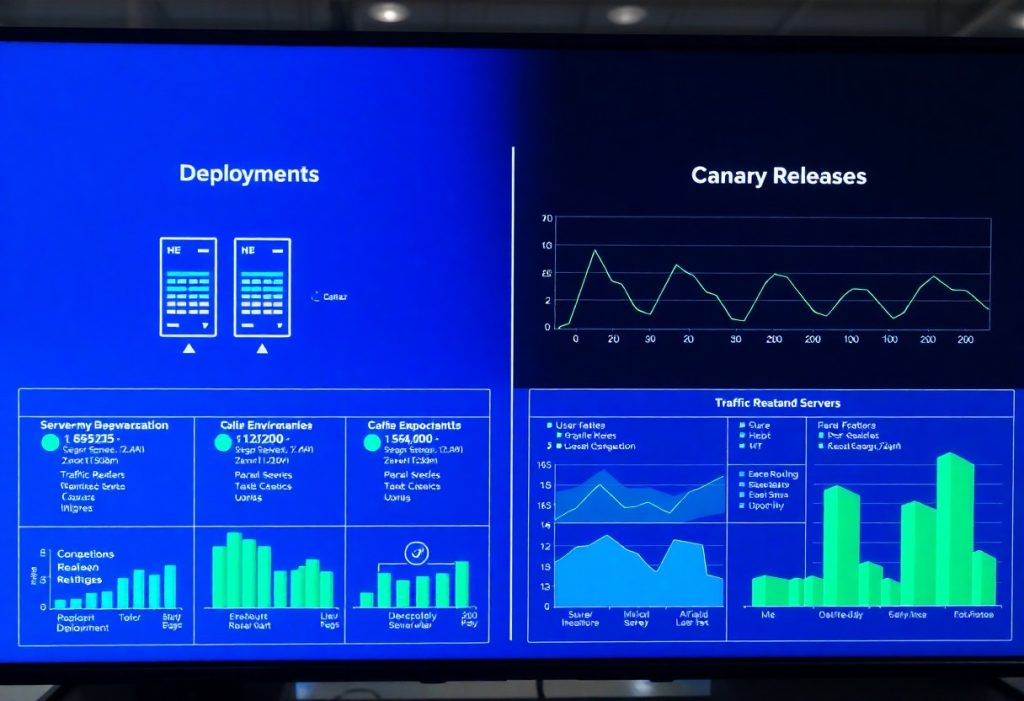
Deployment strategies play a pivotal role in ensuring your applications are delivered smoothly and reliably. You can choose from various approaches such as blue-green deployments, canary releases, and rolling updates, each providing distinct advantages in terms of risk mitigation and performance. For an in-depth exploration, refer to Step in to CI/CD: A Hands-On Guide to Building …, where you will find further insights that can aid in your decision-making process.
Continuous Deployment Processes
Incorporating continuous deployment processes into your pipeline allows for automatic application updates upon successful code changes. With tools like GitHub Actions, you can streamline this process, enabling deployments to occur in real-time while minimising downtime. Such automation not only increases your deployment speed but also ensures that users receive instant access to the latest features and fixes.
Rollback Mechanisms and Strategies
Implementing effective rollback mechanisms is imperative to handle deployment failures gracefully. By maintaining versioned releases and employing strategies like automated rollbacks within your CI/CD pipeline, you can swiftly revert to previous stable states, ensuring continuity for users. This proactive approach allows you to mitigate risks associated with new releases.
Consider integrating automated rollback features directly into your CI/CD workflows. For instance, if a deployment fails or errors are detected, your pipeline can automatically revert to the last working version. This can be achieved through tools that monitor application performance and user feedback, triggering rollbacks when thresholds are breached. Additionally, having a robust version control system, such as Git, makes it easier to track changes and revert to specific commits, providing a safety net during deployment processes.
Best Practices for CI/CD with GitHub Actions
Implementing best practices in your CI/CD pipeline not only enhances efficiency but also increases the reliability of your deployments. Employing a modular workflow can simplify changes and integrations while incorporating meaningful commit messages will facilitate tracking. Regularly review and prune unused workflows to maintain clarity and performance, which ultimately aids in scaling your processes as your project evolves.
Optimization Techniques
Optimising your CI/CD pipeline with GitHub Actions involves leveraging caching and parallelism to reduce build times. By caching dependencies, you can significantly speed up subsequent runs, while executing jobs in parallel can further enhance efficiency. Use matrix builds to simultaneously test across multiple environments, thereby ensuring your application performs well under various conditions.
Troubleshooting Common Issues
When issues arise in your CI/CD workflows, pinpointing the exact cause can be challenging. Focus on examining logs carefully, as they often reveal the underlying problems. Additionally, utilize the GitHub Actions marketplace for community-contributed solutions, while regularly updating your dependencies will help avoid compatibility issues.
When tackling common issues, start by isolating the failed job and reviewing its logs for error messages. Misconfigurations of workflows often lead to unexpected behaviours; check your YAML syntax for indentation errors. If you encounter unexpected permissions issues, verify the access tokens and repository settings. Moreover, external dependencies might change, rendering your workflow invalid. In such scenarios, continuous communication with your team members about changes in project requirements can further aid in resolving these challenges efficiently.
Final Words
Ultimately, by integrating CI/CD pipelines with GitHub Actions, you empower your development process to achieve greater efficiency and reliability. This not only streamlines your workflow but also ensures that your code is tested and deployed consistently. Engaging with this modern approach allows you to harness the full potential of automation, enhancing both your collaboration and innovation capabilities. As you navigate this transformative landscape, your ability to adapt and evolve will define your success in software development.